MCP + API

Turn your AI into an astrologer.

Connect ChatGPT, Claude, Codex, Gemini CLI, or your own product to the DEVS Engine.

ILLUSTRATED STEP-BY-STEP

Choose your AI and follow the exact path.

Every platform has its own screen and instructions. The MCP address is always the same.

CHATGPT · DEVELOPER MODE

Add the Engine as a developer-mode app.
OFFICIAL OPENAI SCREENS
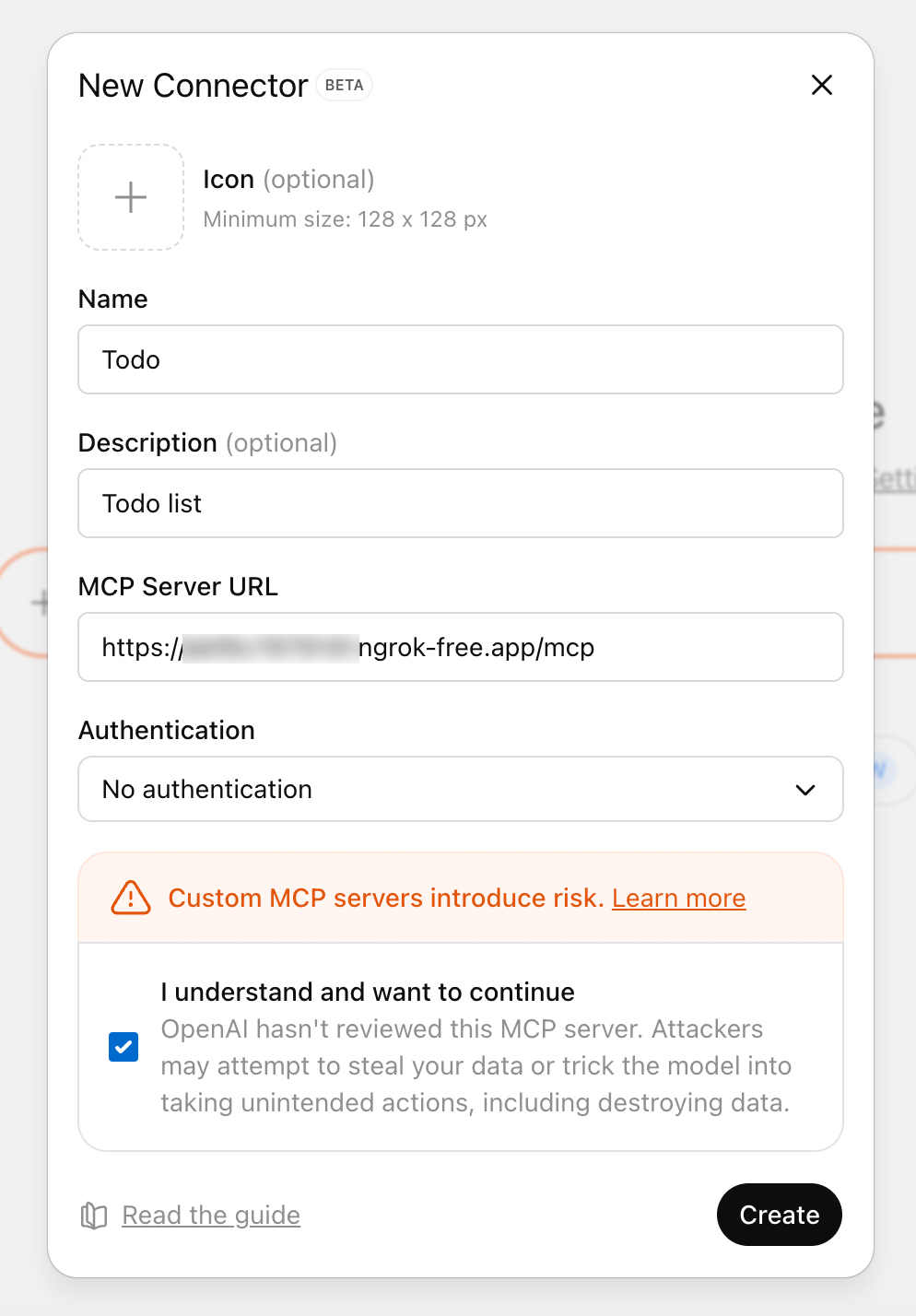
ChatGPT custom MCP connector screen
Create the connectorName: Chat Uranai · paste the official MCP URL
01

Open Settings → Security and login.

02

Turn on Developer mode.

03

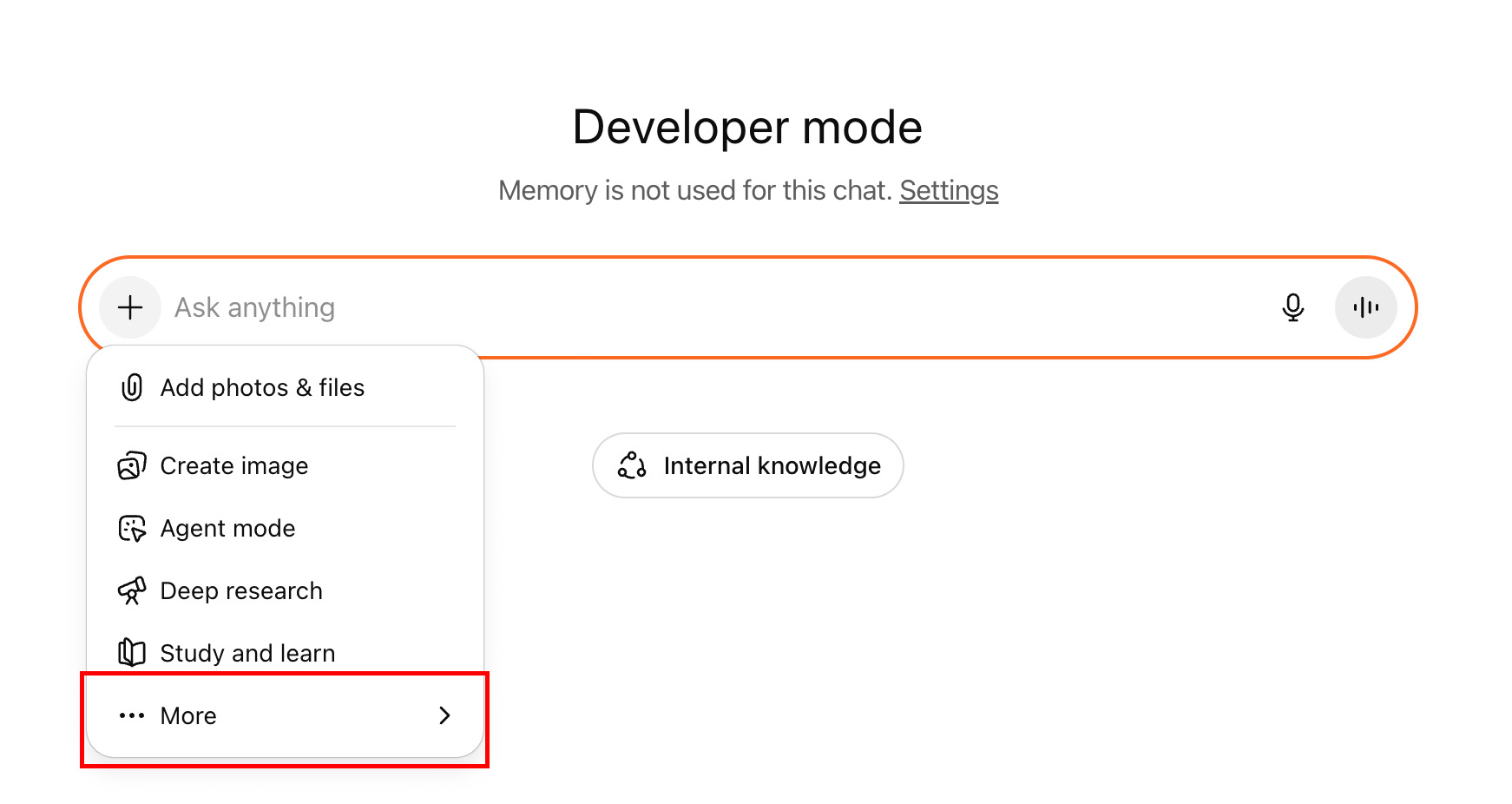
Open ChatGPT Plugins and select the + button.

04

Enter Chat Uranai, paste the MCP URL, review the tools, and create the app.

OFFICIAL MCP ENDPOINThttps://chaturanai.com/mcp
ChatGPT Developer mode menu
Enable it in a conversationNew chat → Developer mode → Chat Uranai
CLAUDE

Add a custom connector.

ClaudeCustomize
Your connectors
Add custom connector
  1. 1Open Customize → Connectors.
  2. 2Choose Add custom connector.
  3. 3Enter Chat Uranai and paste the MCP URL.
  4. 4Authorize it, then enable Chat Uranai from the + menu in your chat.
CODEX · CLAUDE CODE

Connect with one terminal command.

Terminal
CODEX$ codex mcp add chat-uranai --url https://chaturanai.com/mcp ConnectedCLAUDE CODE$ claude mcp add --transport http chat-uranai https://chaturanai.com/mcp Connected
  1. 1Open Terminal.
  2. 2Paste the Codex or Claude Code command.
  3. 3Complete authorization if requested.
  4. 4Run /mcp or list the servers to confirm the connection.
GEMINI CLI

Add the server to settings.json.

~/.gemini/settings.json
{
  "mcpServers": {
    "chat-uranai": {
      "httpUrl": "https://chaturanai.com/mcp"
    }
  }
}
Gemini CLI> /mcp chat-uranai · Connected
  1. 1Open ~/.gemini/settings.json.
  2. 2Add the mcpServers block shown below.
  3. 3Save the file and restart Gemini CLI.
  4. 4Run /mcp and confirm that chat-uranai is connected.
01

Open the connector or MCP settings for your AI.

02

Create a connection named Chat Uranai.

03

Paste the official endpoint exactly as shown.

04

Authorize the tools and run a test reading.